
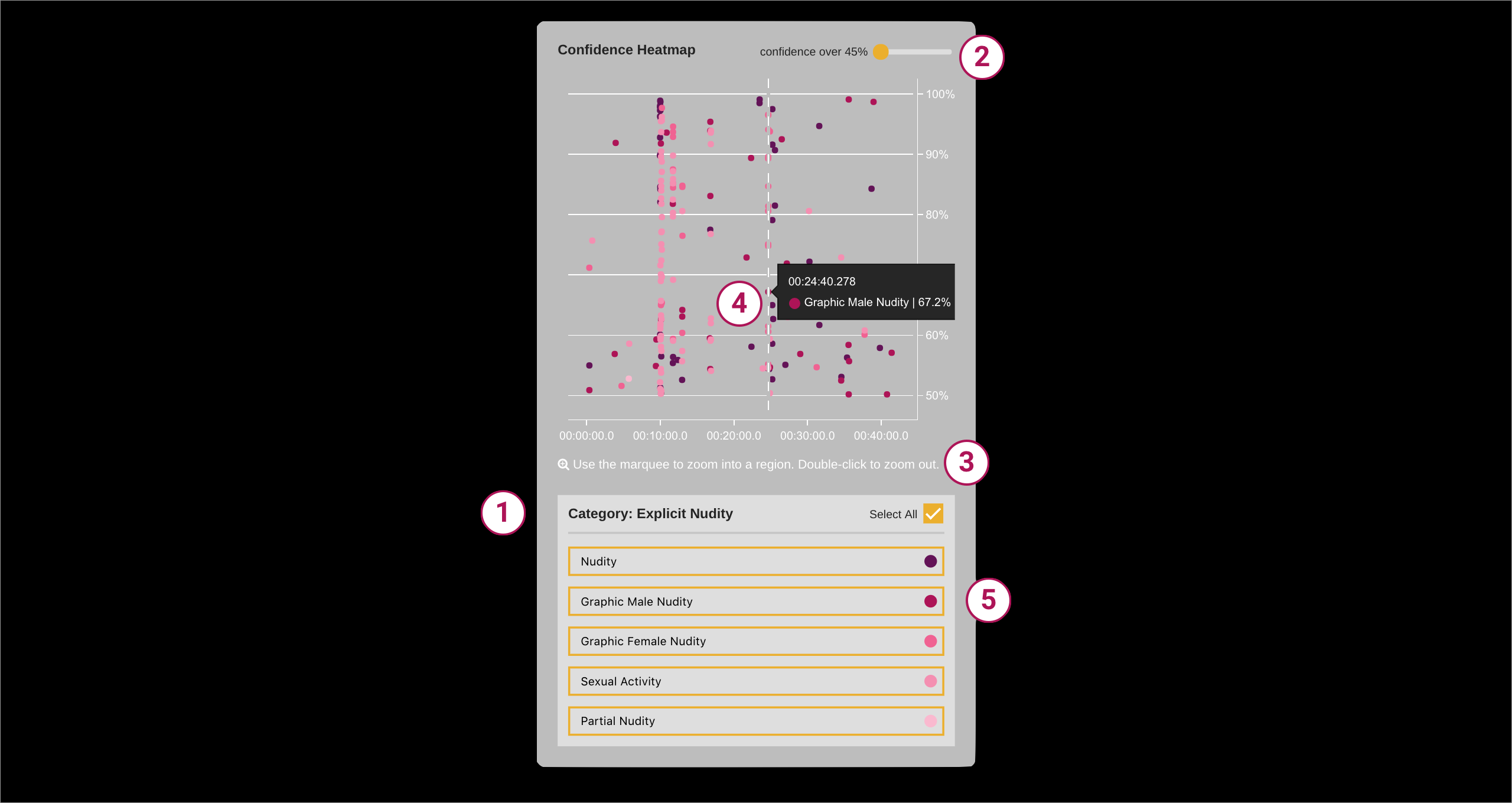
1. Moderated Content Tags
Rekognition can determine if an image or video contains explicit or suggestive adult content. It uses a hierarchical taxonomy to label categories of explicit or suggestive content. While the top-level categories are Explicit Nudity and Suggestive, there are second-level categories that lie underneath it. These secondary categories include Nudity, Graphic Male Nudity, Graphic Female Nudity, and Partial Nudity.
Based on the workflow of the Post Production team, we decided to only focus on the secondary categories of Explicit Nudity and we added a specific category: Sexual Activity.
These categorical tags are color-coded in the pane and each dot in the confidence heatmap correspond to a point of time in the video where moderated content of that type was flagged.
2. Confidence Scores
The y-axis of the heatmap shows the confidence score against the video time. Each moderated content flag has a confidence score that tells us how likely nudity or sexual activity occurred at that point in the video.
There is a score selector at the top right corner of the map that allows users to set the score they want the cutoff of the map to show. For example, if a user wants to see only confidence scores above 80%, they can use this score selector to see their heatmap updated.
3. Marquee Select
Users can use marquee select to zoom in on regions of the map they want to see magnified. Double-clicking on the map will allow the user to zoom back out.
4. Individual Data Points
Hovering on individual data points will tell the user what category the moderated content tag falls under, at the exact time it occurs in the video, and its respective confidence score.
5. Category Isolation
By default, all of the moderated content categories are selected. Users will see all of the categorical tags that were flagged in the video. If a user wants to hone in on a specific category, such as graphic male nudity, they can by un-clicking the other categories. The heatmap will update to show the specific category a user chooses to highlight.